Moscow, World Trade Center

International Forum for Collective Security

BECOME A PARTICIPANT

SUBMIT AN APPLICATION

If you wish to submit an application to attend the Forum, please apply to participate in the ‘Events – Upcoming’ section of your Roscongress personal account.

Sign in

Please note that to register for the event, use your Roscongress personal account, and obtain your badge, you must grant consent in your Roscongress personal account to:

  • the processing of personal data
  • the use of a simple electronic signature (SES)
  • and accept the user agreement

Once given, the consent and acceptance will remain valid for any events you choose to register for through your Roscongress personal account on the Roscongress Foundation website. Please don’t hesitate to reach out to your participation contact person at the Foundation with any questions you may have.

RECEIVE AN INVITATION

Your application will be reviewed by the Forum organizers. If your application is approved, you will receive an invitation to the Forum and your application status will be updated in real time in the ‘My events’ section of your Roscongress personal account.

The review process varies by applicant. The Forum organizers reserve the right to reject an application without explanation.

CONFIRM YOUR ATTENDANCE

After receiving the invitation, confirm your participation in the Forum in the 'My events – International Forum on Collective Security – Event dashboard' section of your Roscongress personal account.

How do I decline to participate in the Forum?

Participants who have received an invitation but have decided not to attend the Forum, or who have previously confirmed their participation but no longer plan to attend are kindly requested to officially decline their participation via the Roscongress personal account or by informing Roscongress Foundation specialist you are in touch with regarding your participation in the Forum.

How the participant can be substituted?

A participant can only be substituted with the approval of the Forum organizers. If you have confirmed your participation but no longer plan to attend the Forum for any reason, and you wish to arrange a replacement, please contact the Roscongress Foundation specialist you are in touch with regarding your participation in the Forum.

PICK UP YOUR BADGE

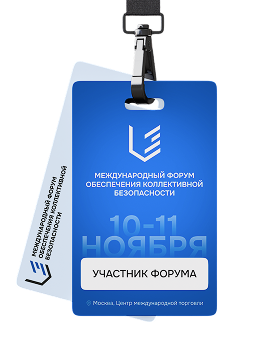
An accreditation badge is required to enter the Forum venue.

To collect your badge, you must log in to your Roscongress personal account and:

  • Confirm you are attending the Forum
  • Enter your personal information from your passport
  • Upload a mandatory photo for your badge Tab 'My events – International Forum on Collective Security – Event dashboard – Personal information – Photo – Edit data'.
  • Upload a scanned copy of your passport Tab 'My events – International Forum on Collective Security – Event dashboard – Personal information – Edit data'.

More information will be available in the 'Access to the venue' section.

How do I register?

You can register for a Roscongress personal account on the Roscongress Foundation website in five simple steps.

Event selection and participation packages are available after you fill out your personal information.

Once you have completed the registration process, an email will be sent to the address you have provided containing your login and password for your Roscongress personal account.

How do I log in?

To log in to your Roscongress personal account, please enter the login and password emailed to you when you first registered for your account.

How can I recover my login or password?

If you have forgotten your login and password, you can use the login and password recovery function on the Roscongress personal account login page or contact us by email: weboffice@roscongress.org.

How is the confidentiality of data in the Roscongress personal account protected?

The Roscongress Foundation strictly adheres to legal requirements governing the protection of each participant's personal data.

The Roscongress personal account has been developed using SSL data encryption technology to ensure the highest levels of security and confidentiality of your personal information.

Why must participants consent to the processing of their personal data?

When registering for a Roscongress personal account or applying to attend the Forum, participants must consent to the processing of their personal data. This consent is a requirement under Russian law, and applications to participate in events cannot be processed without it.

The full terms and conditions for processing personal data can be found on the Roscongress personal account registration page.

How can I make changes to my personal information?

Should you wish to edit your personal information, go to the 'My events' section of the Roscongress personal account and select the International Forum on Collective Security.

If you need to edit your personal information as it appears in the general settings of your Roscongress personal account, or if you need to make changes to uneditable fields, please contact the Roscongress Foundation specialist you are in touch with regarding your participation in the Forum.

Your personal manager's contact information can be found in your Forum invitation letter. Alternatively, call the Forum information centre at +7 495 640 6097.

Roscongress personal account must completely match the data in your passport.

There's an error in my personal data in the Roscongress personal account. Do I have to make changes myself?

In order to get your badge prepared for issuance, the information in the Roscongress personal account must completely match the data in your passport.

USEFUL INFORMATION

BADGE COLLECTION

You must have an activated accreditation badge to enter the venue of the Forum.

You can pick up your badge in advance at one of the accreditation points.

It will be available soon
image

BANK CARDS

Given the existing restrictions on the use of foreign bank cards in Russia, we recommend that you carry sufficient cash for the entire duration of your stay at the Forum.

MIR сards in any currency work without restrictions in Russia. Forum participants are advised to apply for a card or bring an existing card of this payment system.

LIST OF PROHIBITED ITEMS

When entering the venue, you will need to go through an access control procedure.

You may be asked to turn on your phone or laptop and show other equipment that you brought to the venue.

It will be available soon

FORUM VENUE

The Forum’s main events will take place on 10–11 November 2026 at the WTC Congress Centre in Moscow

Please plan your route so that you arrive at the venue in advance, at least 1 hours before the start of the event you wish to attend

More information
Adress
Congress Centre, Entrance 4, 12, Krasnopresnenskaya Naberezhnaya, Moscow